INTRO
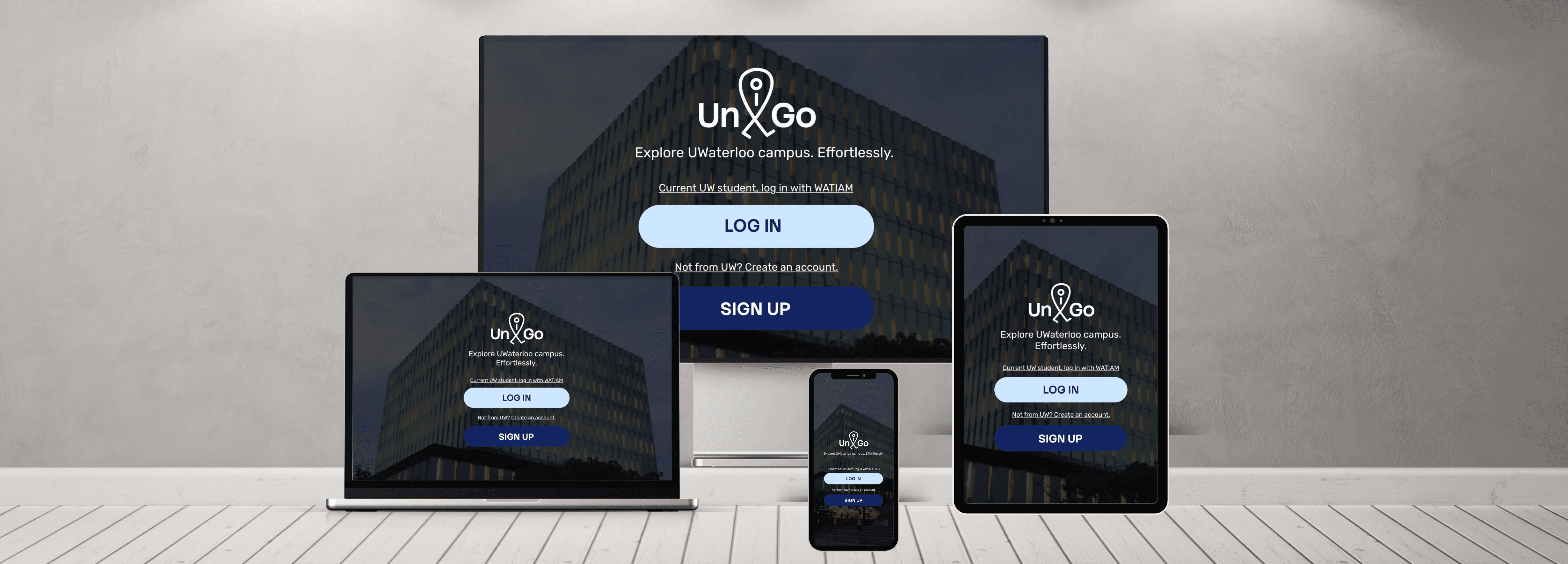
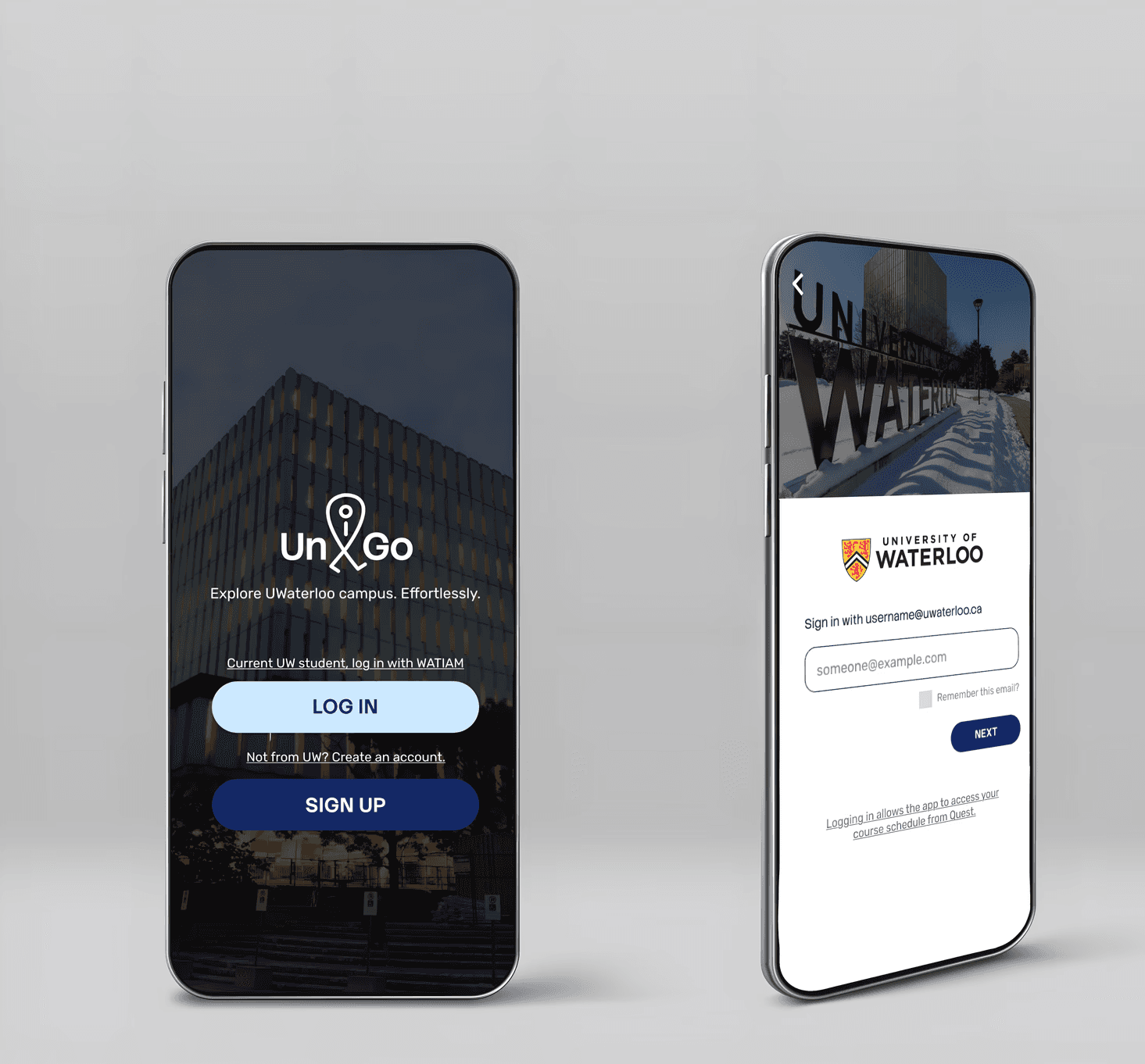
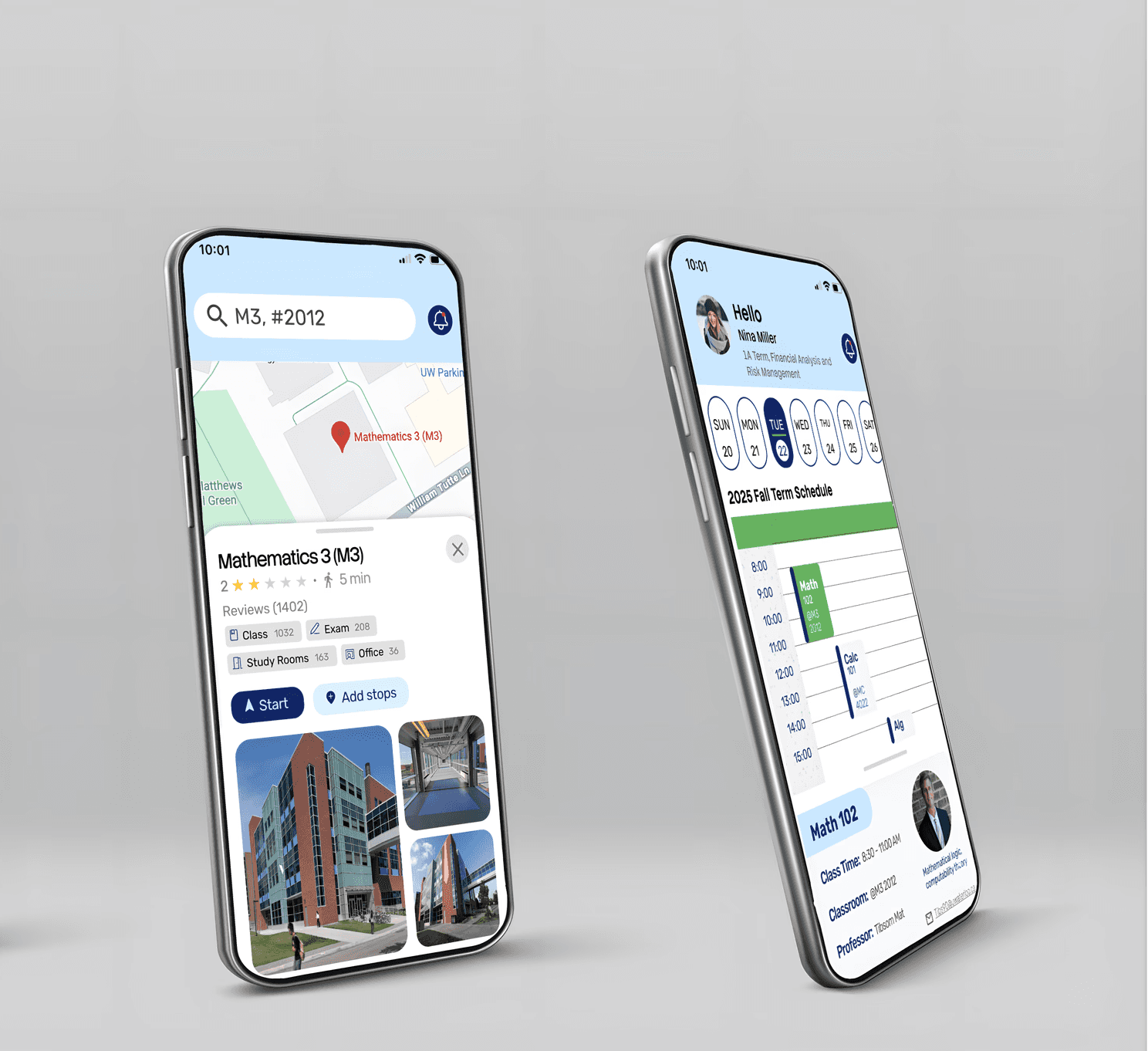
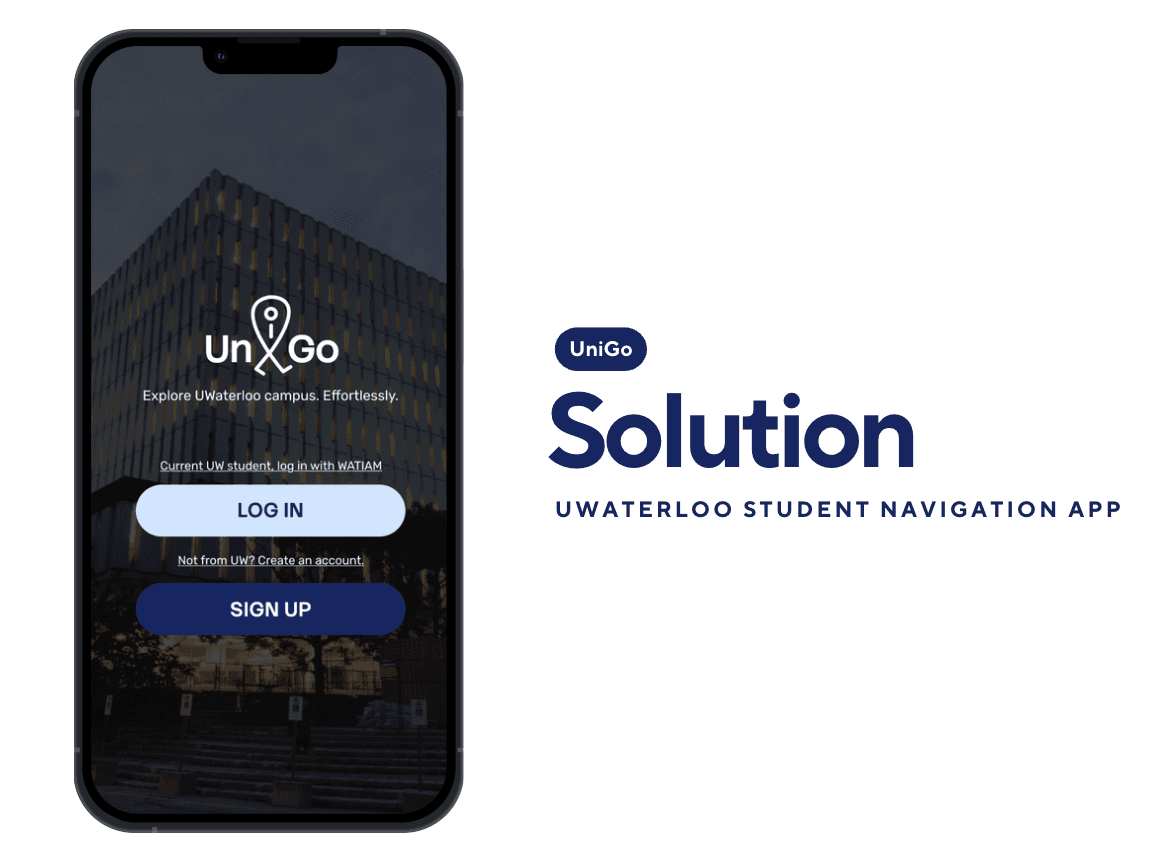
UniGo is a mobile app that helps University of Waterloo students navigate campus, with a focus on indoor wayfinding.
It addresses a key limitation of existing tools: they can get students to a building, but not reliably to the right room, especially within complex multi-floor layouts.
UniGo makes indoor navigation more straightforward and predictable, helping new students move around campus with confidence and spend less time feeling lost.
CHALLENGES
Complex layouts and limited signage make campus navigation challenging for students.
General mapping apps do not reliably support indoor navigation.
Compass-based directions (e.g., north, east) are confusing for many students.
New students often get lost on campus, leading to late arrivals for classes.
UniGo provides indoor navigation with clear, step-by-step directions, using precise language and optional voice guidance to help students navigate complex campus layouts efficiently.
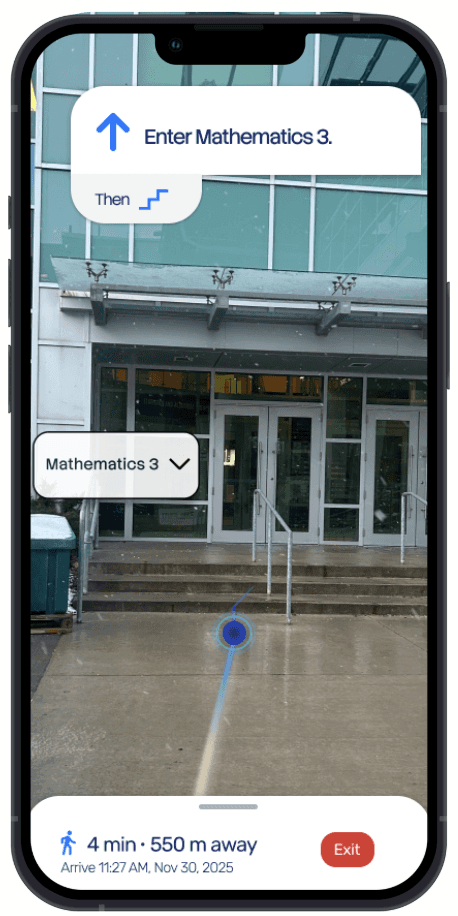
UniGo features an indoor/outdoor mode switcher that integrates GPS and AR-based guidance, enabling seamless navigation throughout the campus.
Uses clear, directive language (e.g., left, right) instead of compass-based instructions, helping students understand directions more intuitively.
UniGo can reference familiar landmarks (e.g., cafés, libraries) rather than only building names, helping new students orient themselves more naturally in unfamiliar spaces.

Design Thinking

Interviews
Our target users are University of Waterloo students who navigate campus to find classrooms. We interviewed three students from different programs to understand their key challenges:
Get lost due to complex building layouts
Unfamiliar with less-visited campus areas
Floor maps lack clarity
Primarily rely on Google Maps
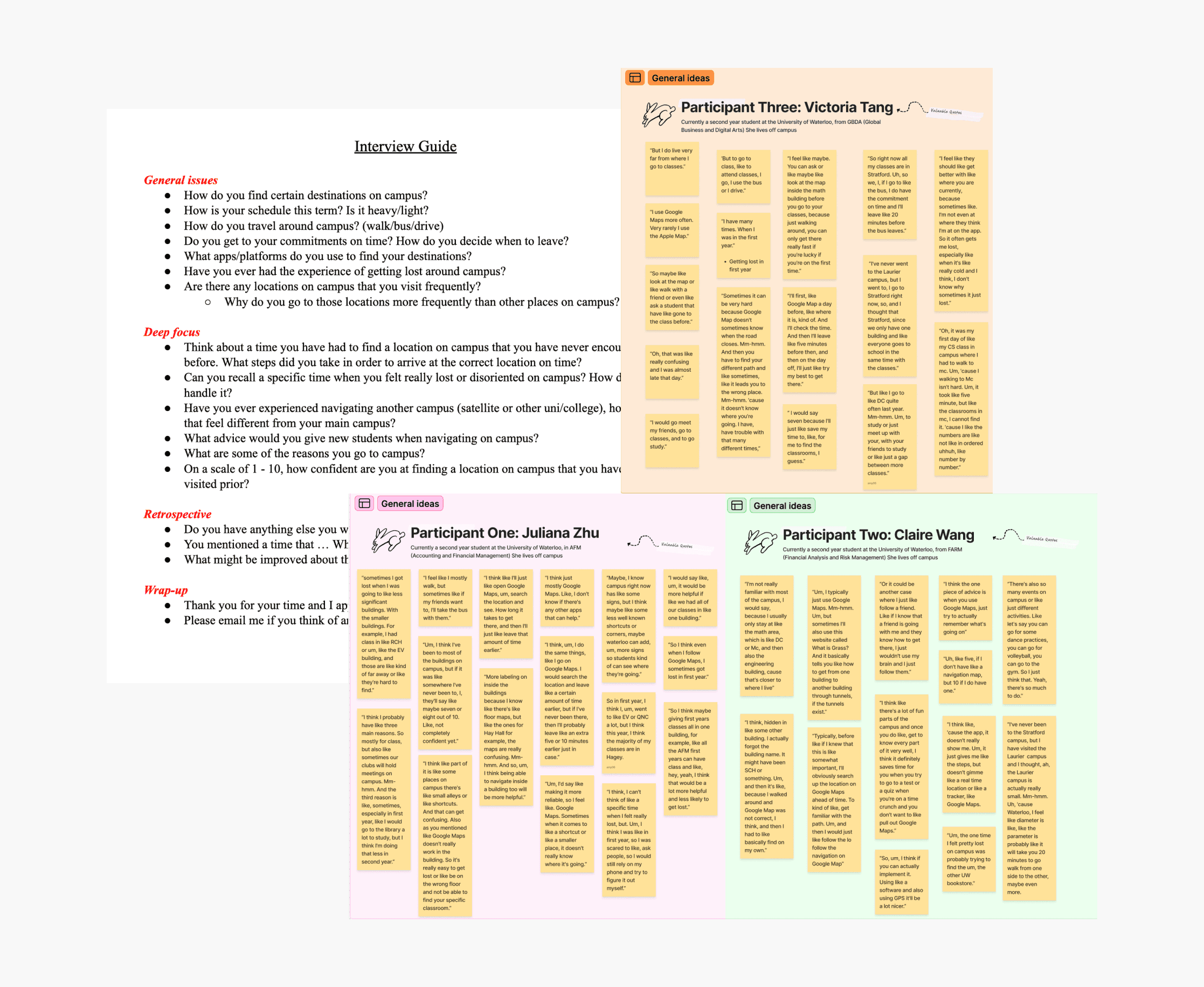
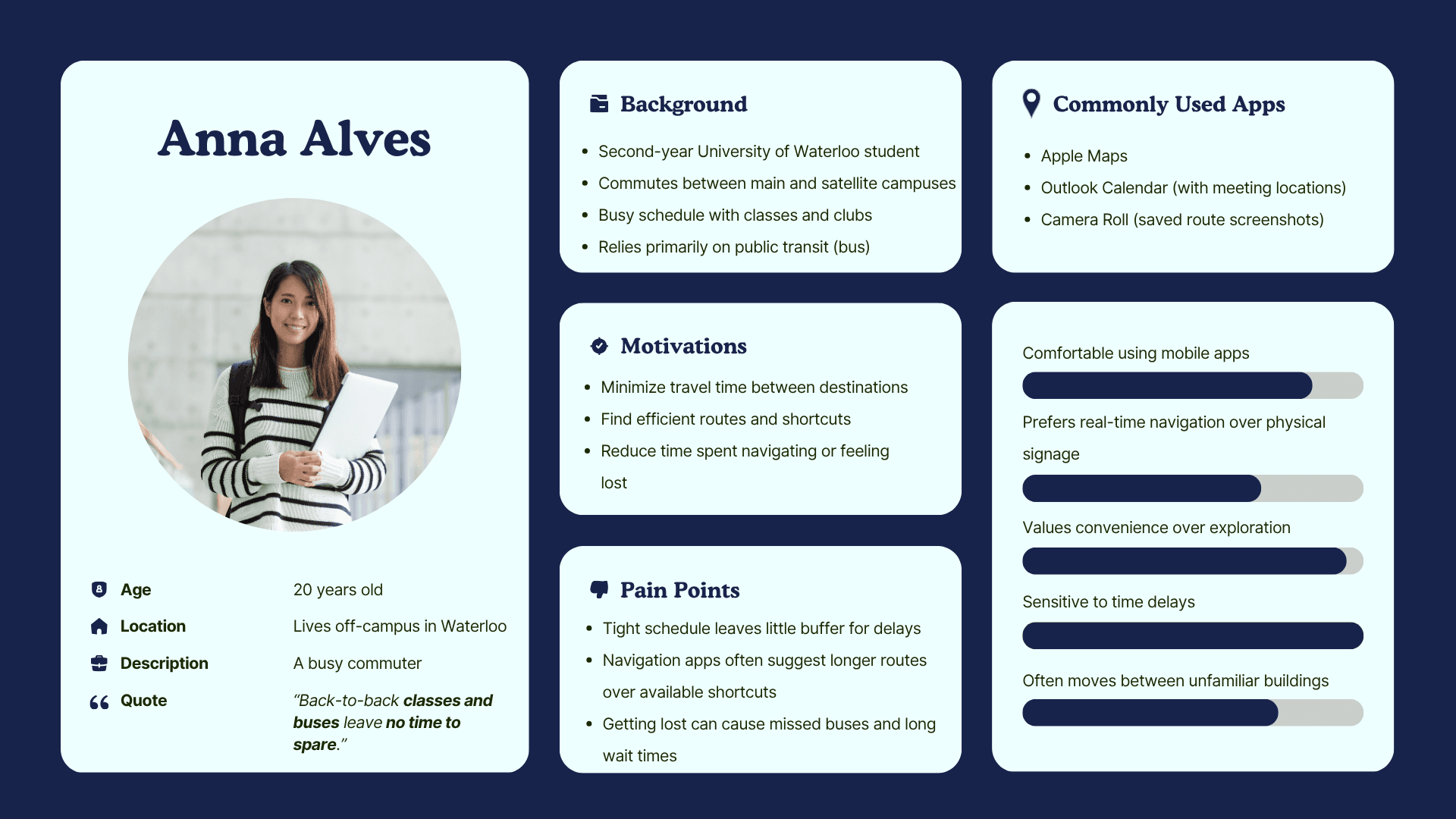
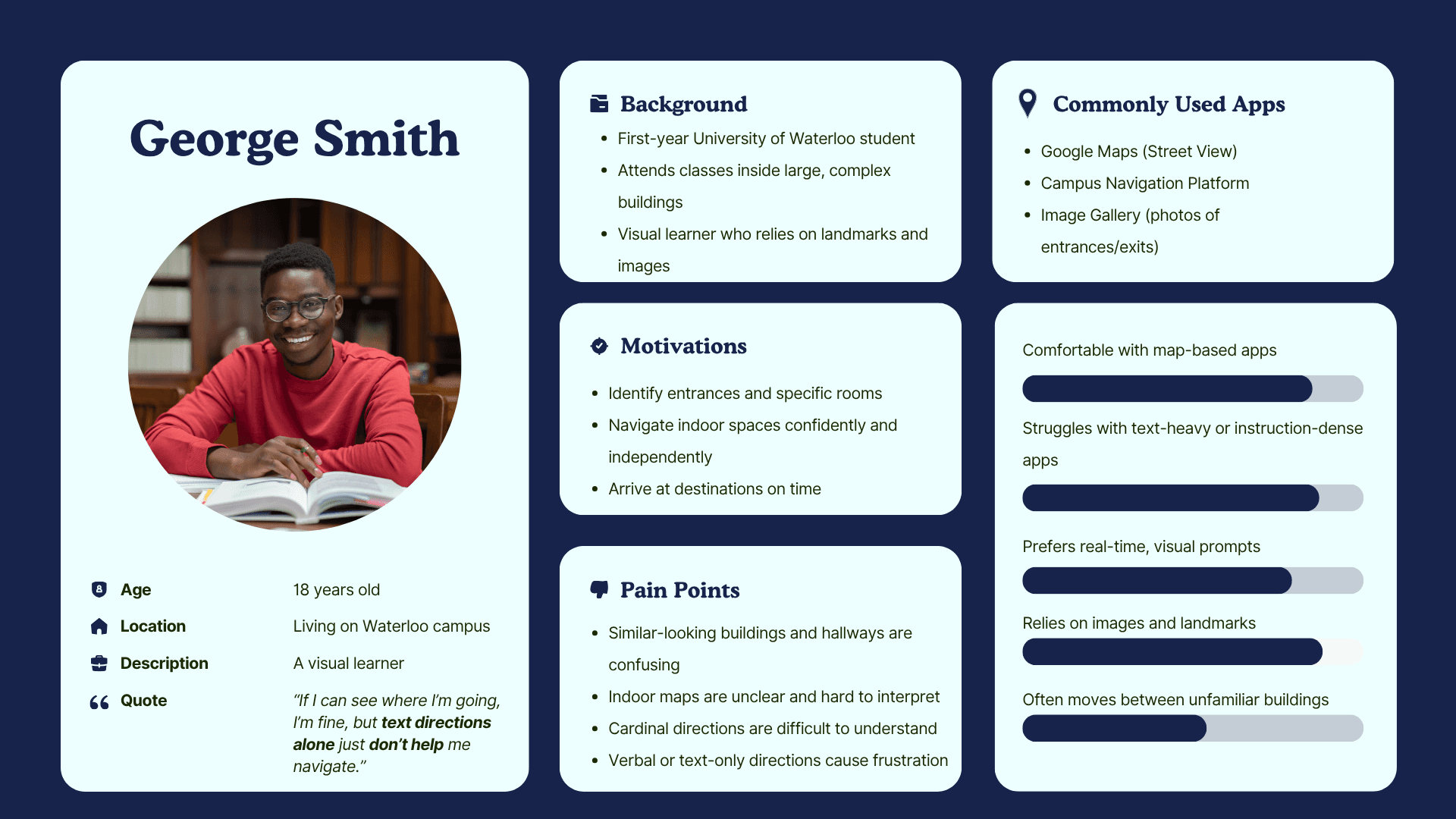
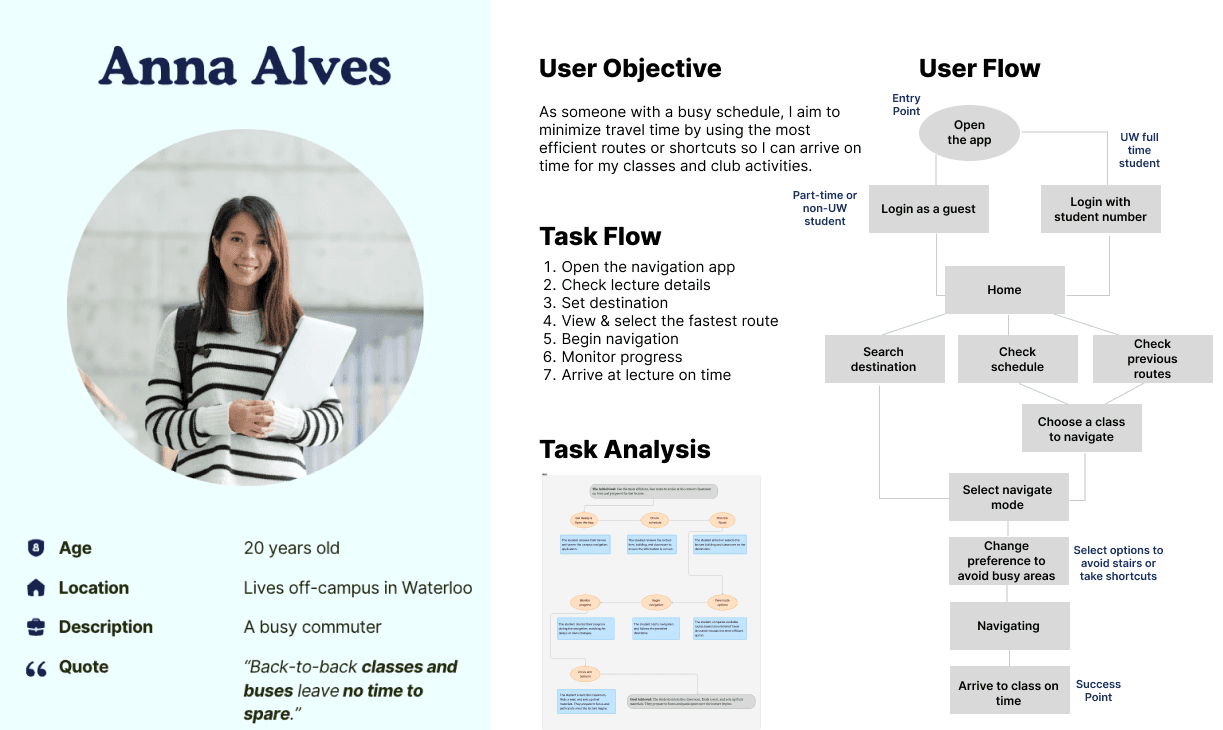
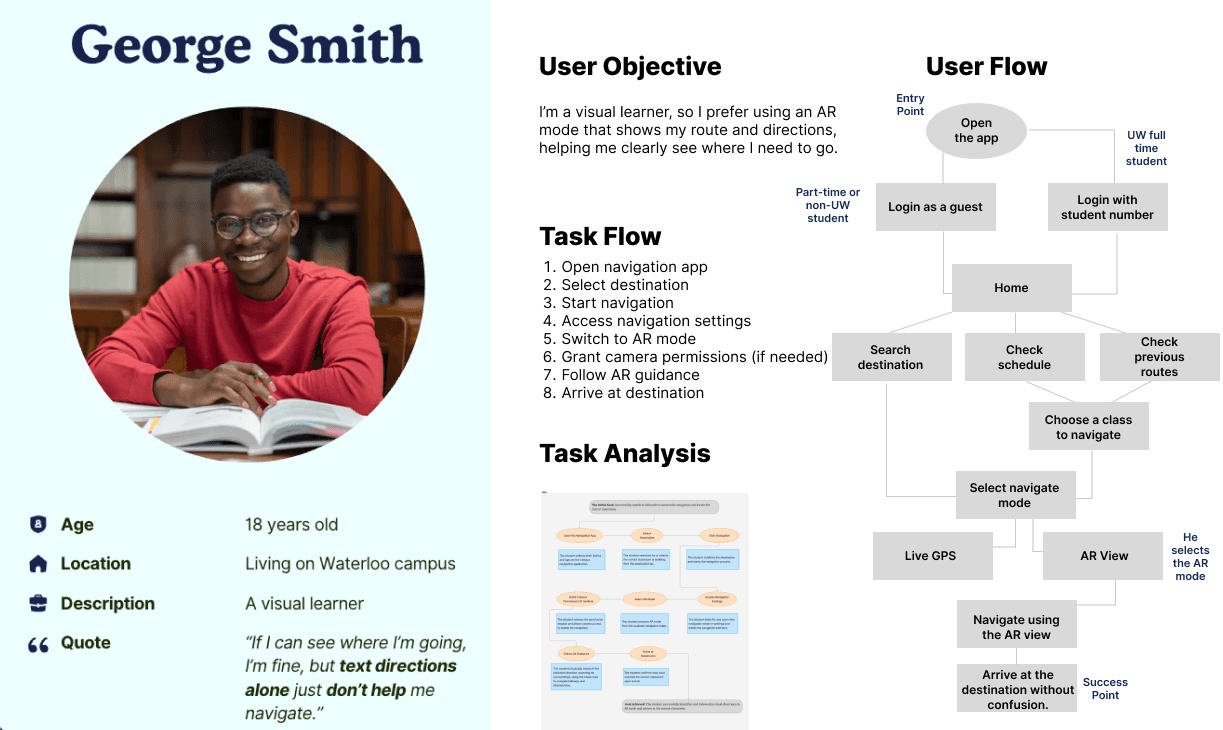
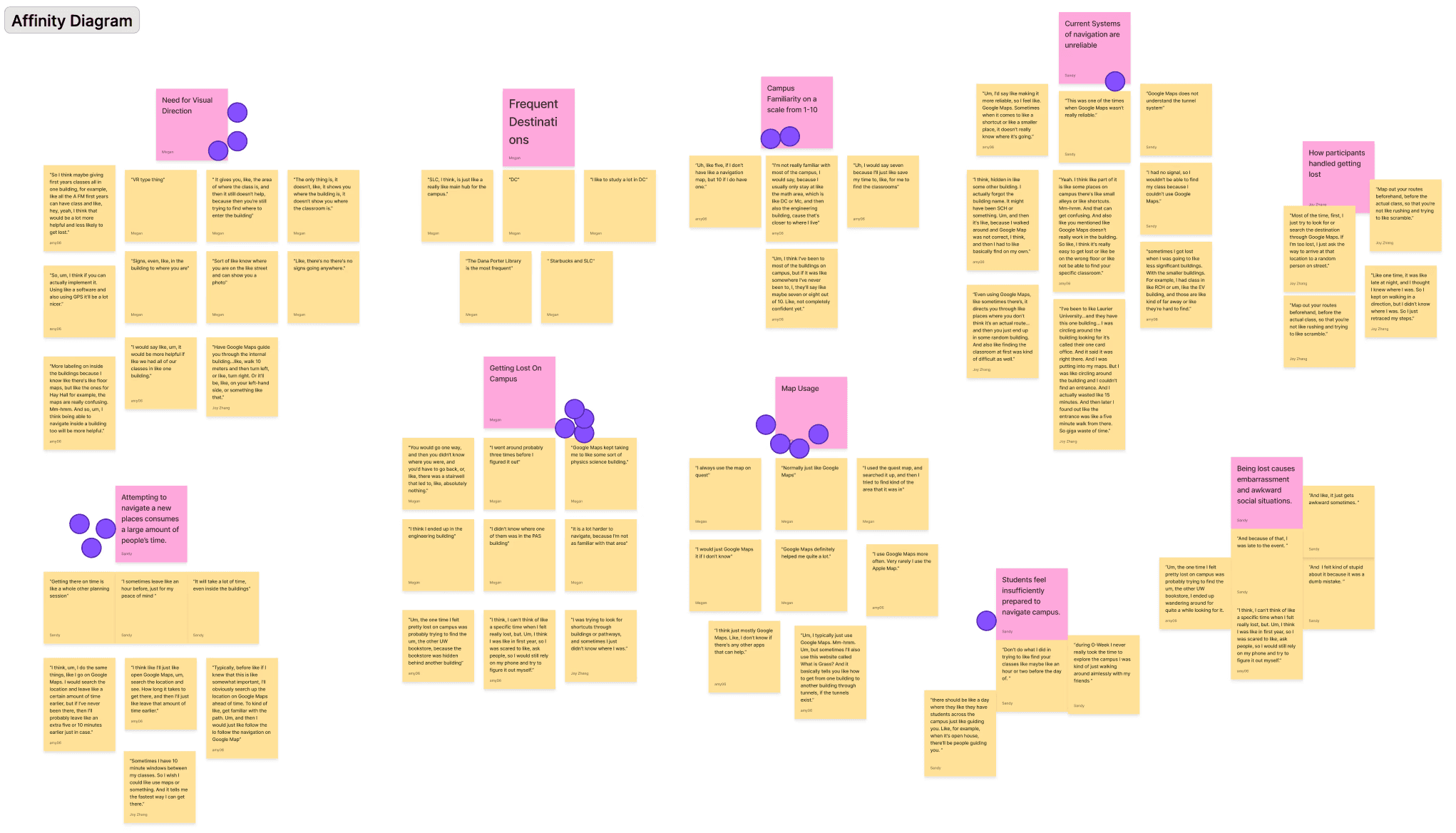
Research and interviews showed students struggle in unfamiliar campus areas. Based on user flows and personas, we defined three core features:
AR navigation with landmark cues
Accessibility preferences (avoid stairs/elevators)
AR ↔ GPS mode switching
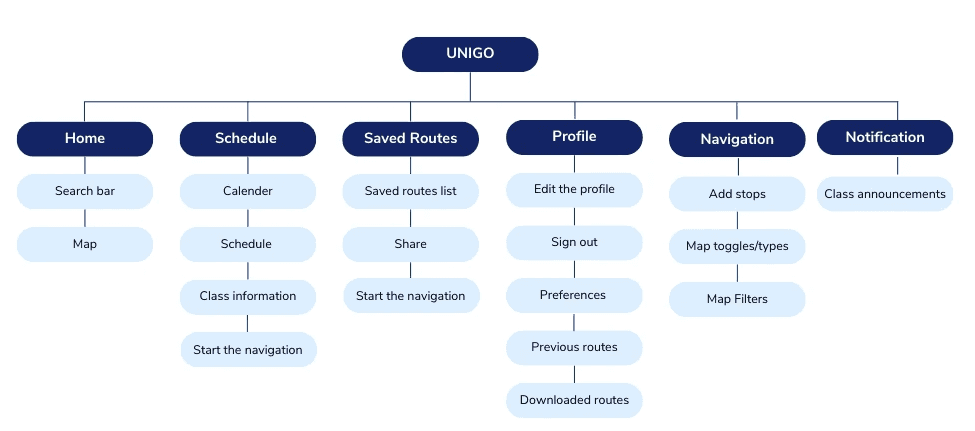
Before diving into wireframes, I first mapped out the app’s structure. This allowed us to clearly visualize all features and screens, while also identifying any missing screens.
Sketches
Blue is associated with trust and reliability, and its strong contrast makes route guidance easier to scan.
We anchored the palette on blue with green and grey accents, aligning with AODA accessibility goals for high-contrast, readable UI across diverse visual and cognitive needs.
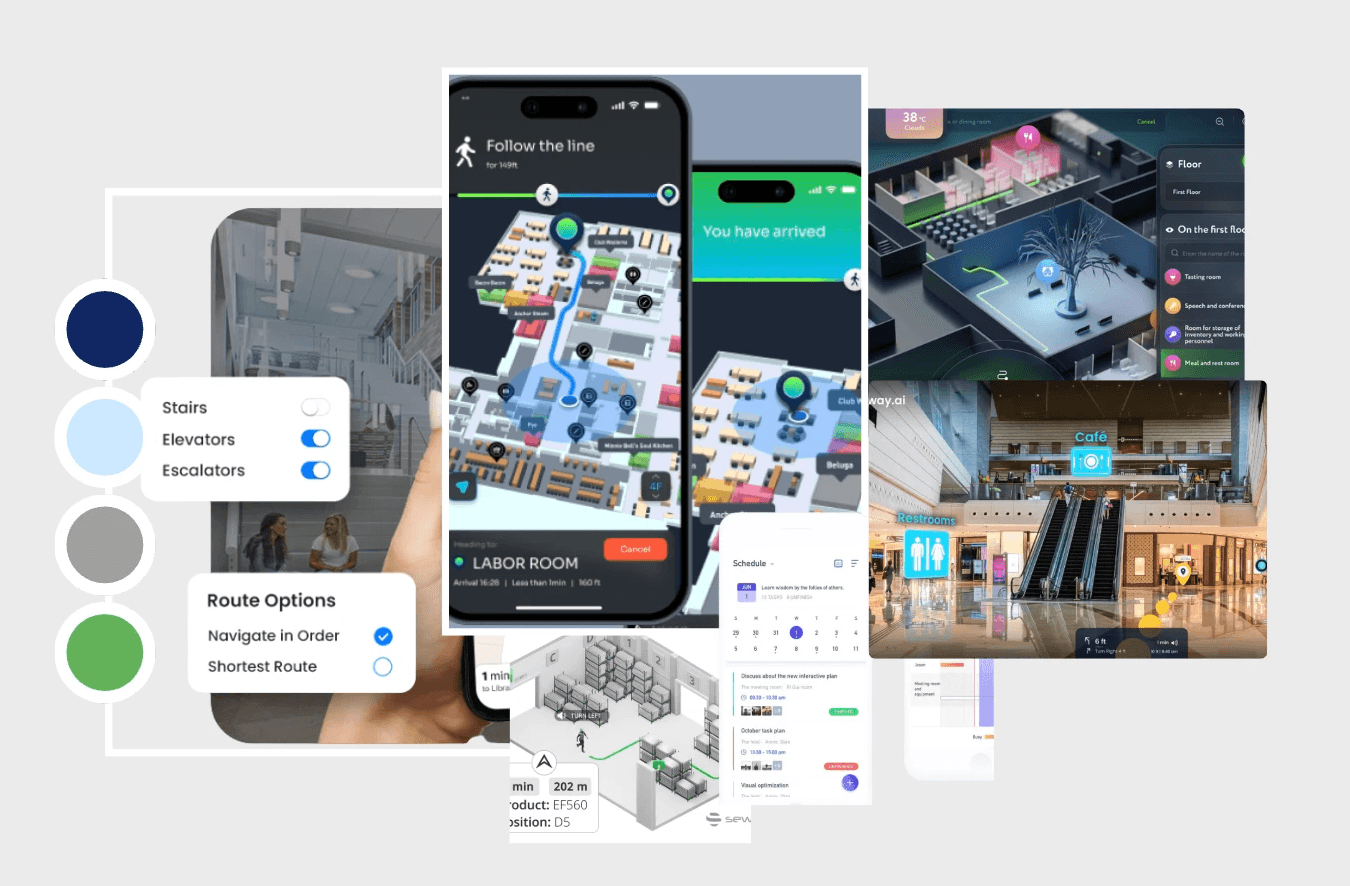
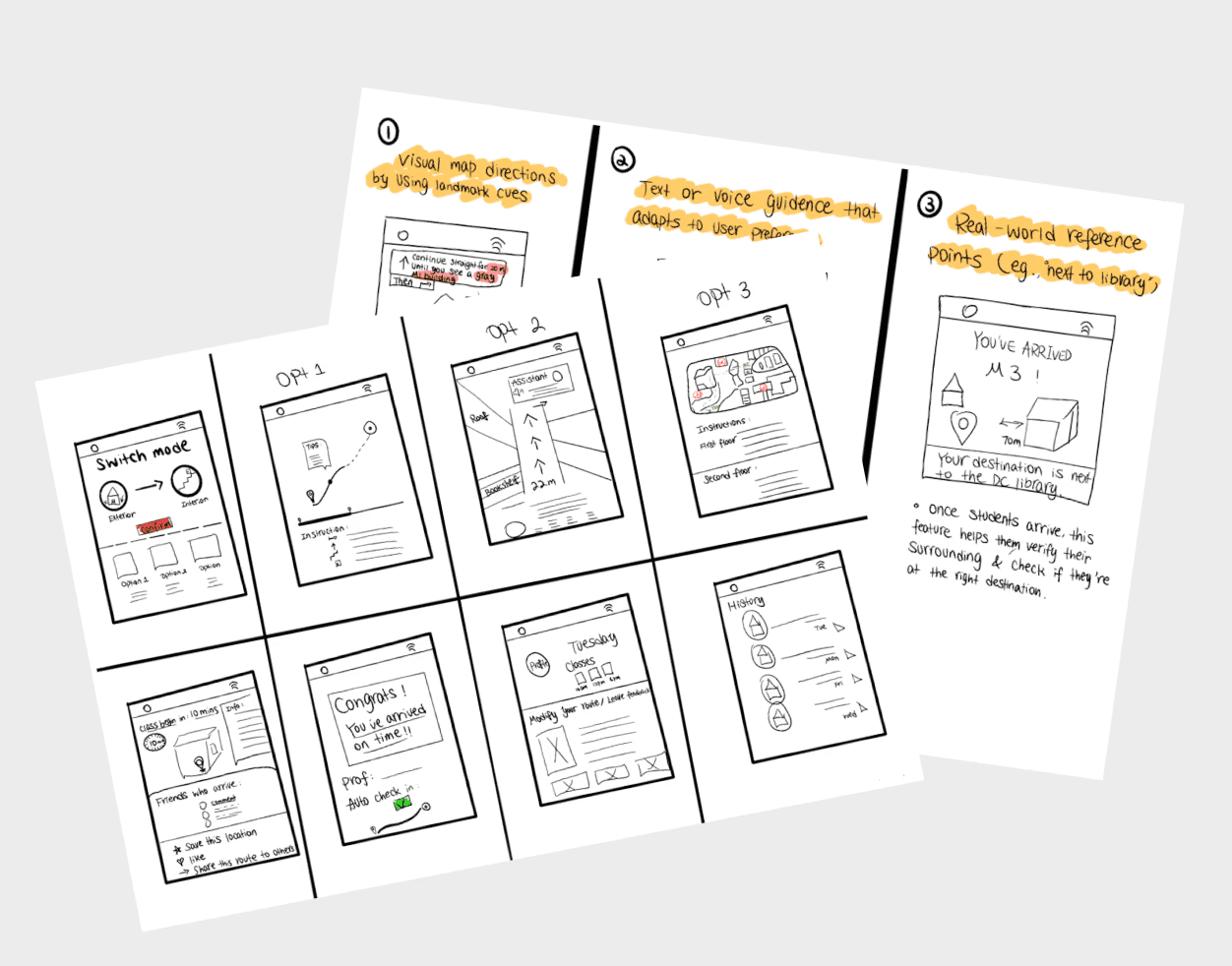
How UniGo Differs From Existing Navigation Apps
Offers three indoor navigation modes to guide students through campus buildings.
Improves the "final-step" experience by using landmarks to confirm arrival and class details for smoother end-to-end navigation.
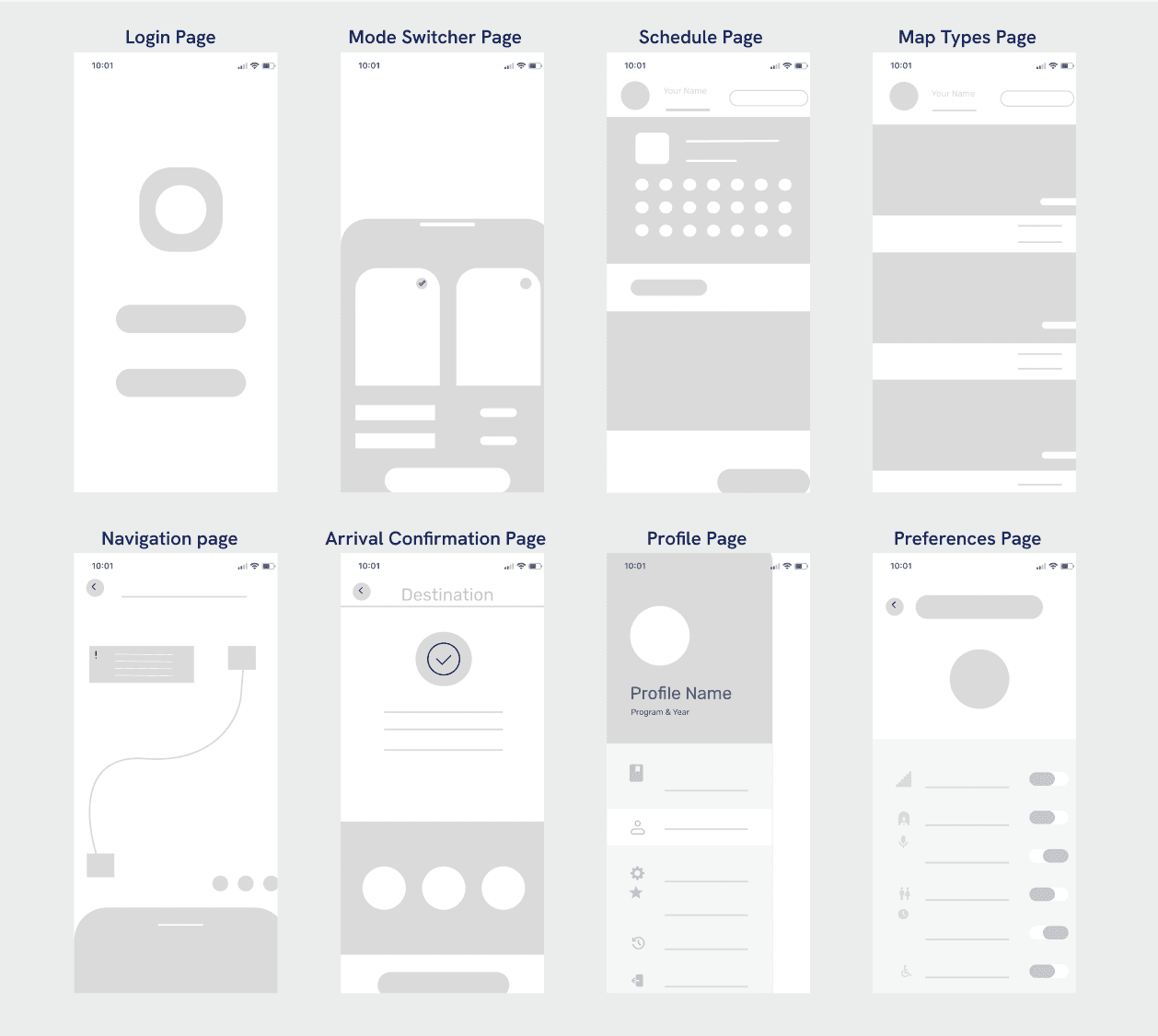
Wireframe
Through wireframing, I first created a simple low-fidelity prototype to identify the core screens needed for UniGo.
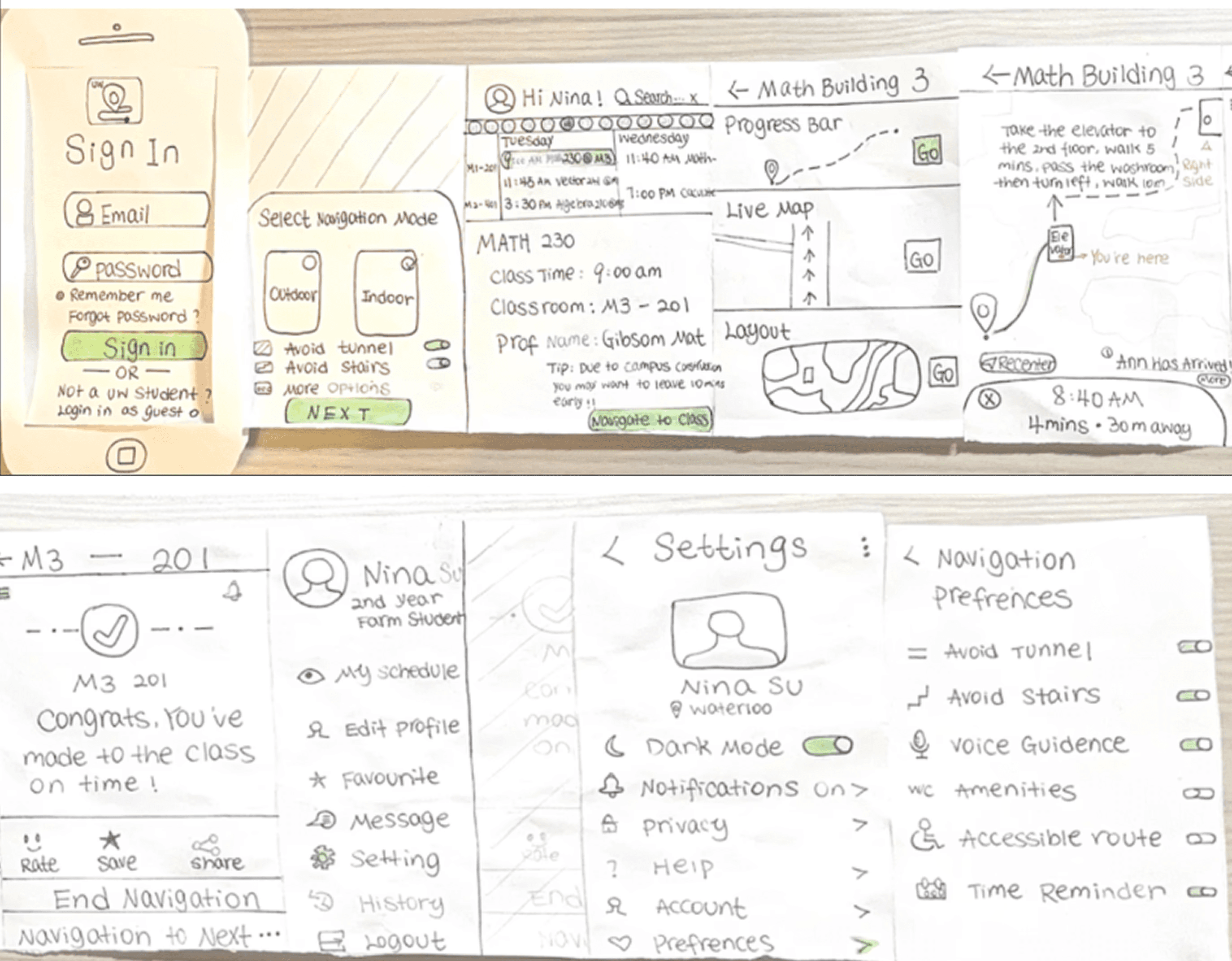
Paper Prototype
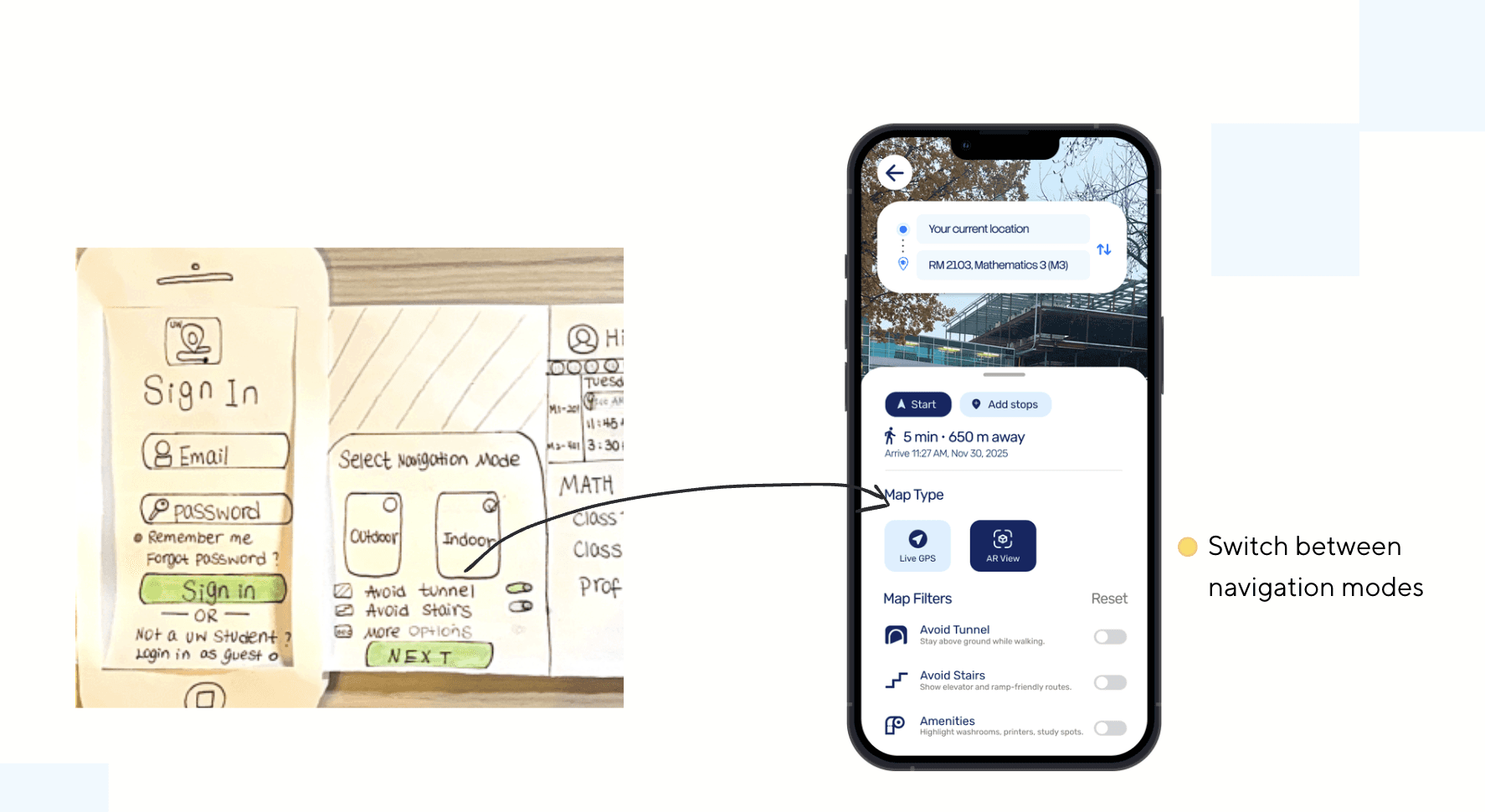
Next, I used paper prototyping to refine the flow and add more features.
For example, I defined different map types to better support students with different needs.
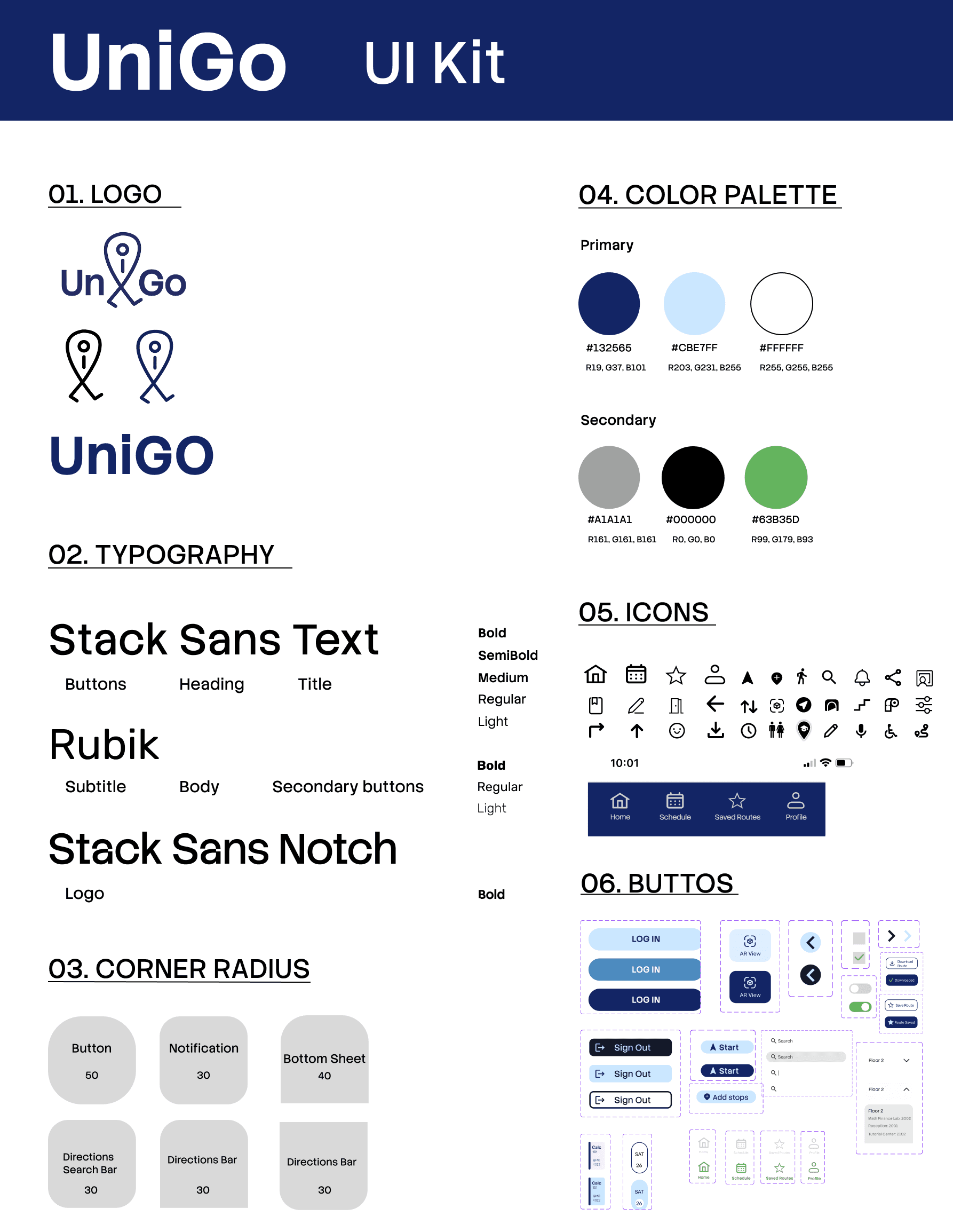
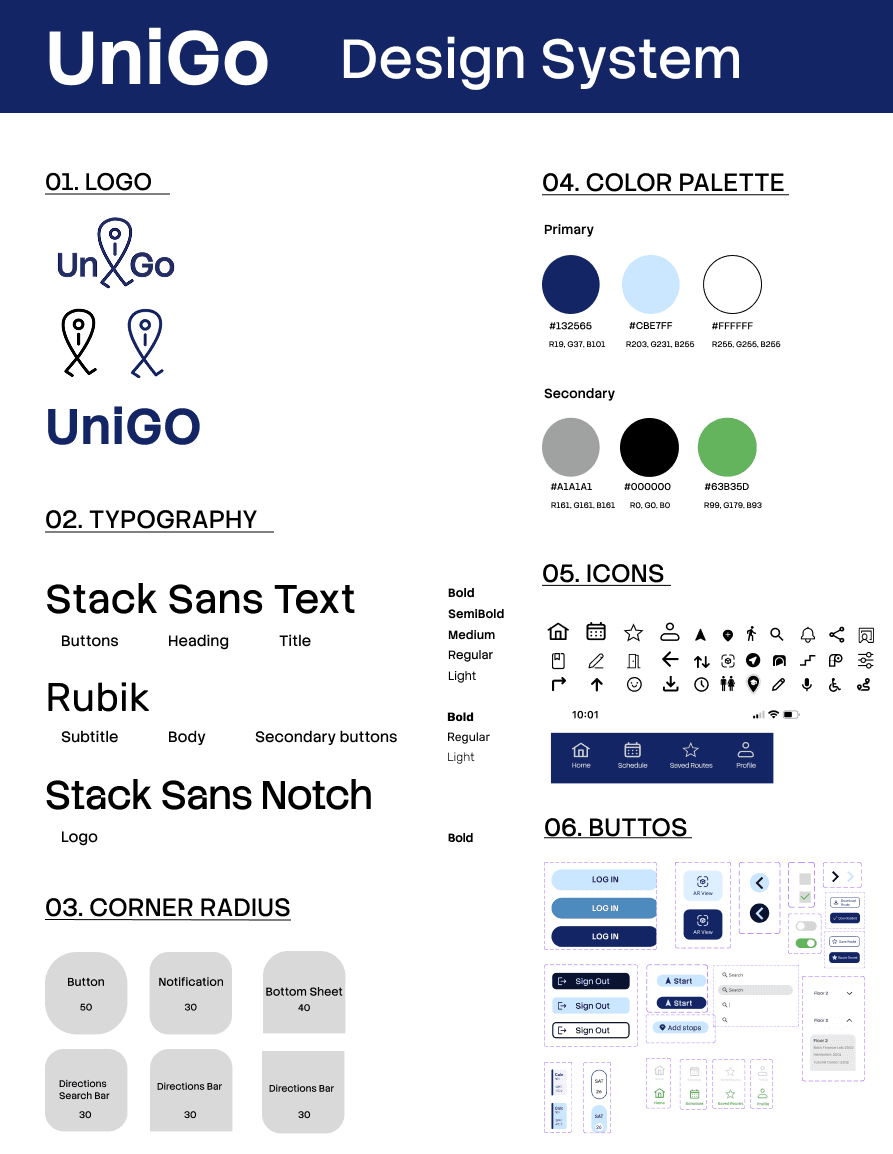
Design System
We designed UniGo with accessibility principles in mind:
Clear, consistent wayfinding with high-contrast navy for primary navigation and text; green used as a secondary accent.
Typography is optimized for readability across screen sizes.
Interactive elements are clearly differentiated with defined states (default, hover, pressed, disabled).
In Scope
Include the navigation mode feature in our final design
Iteration 1
Out of Scope
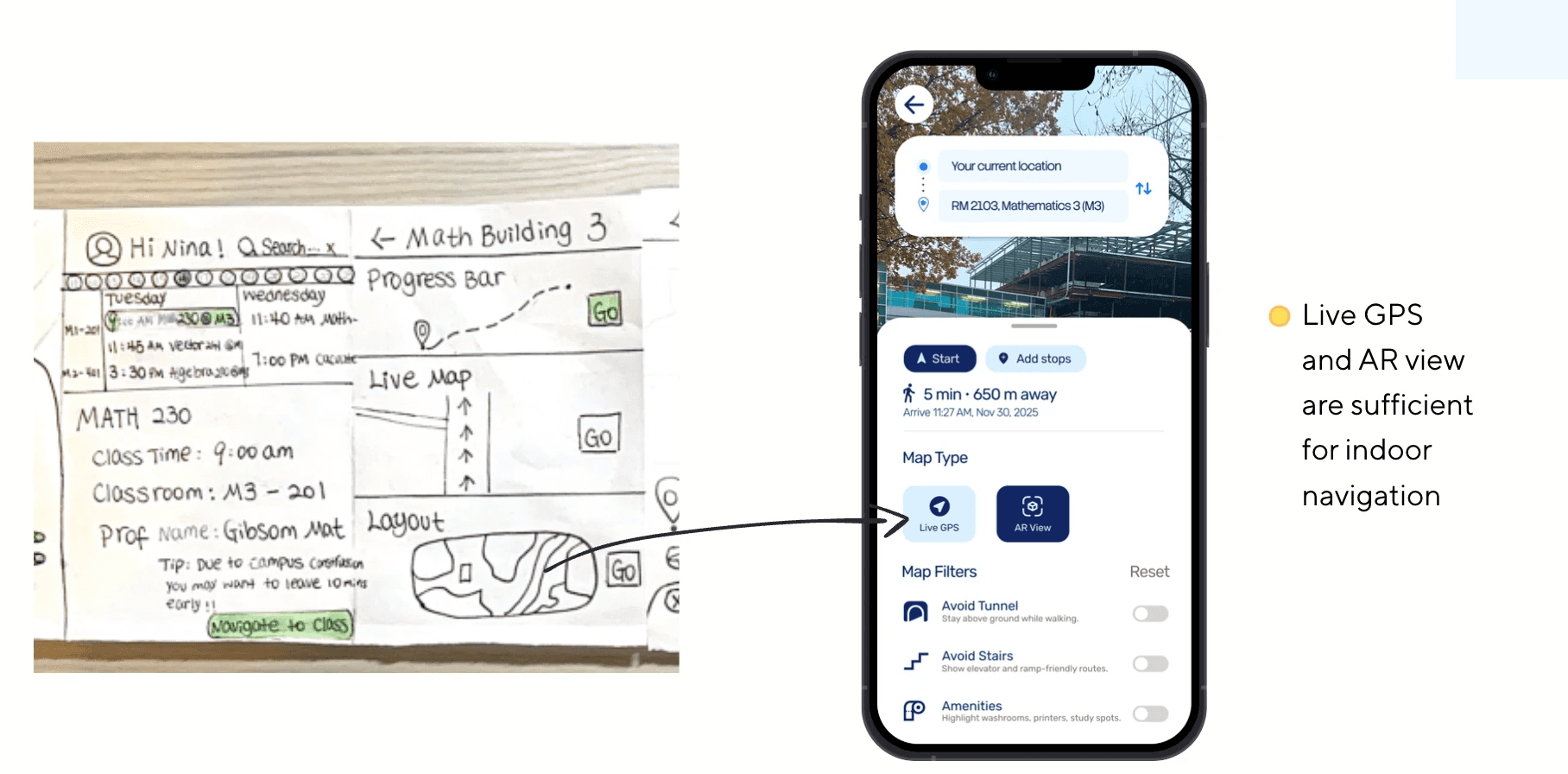
Removed layout option (buildings already have layoutmaps)
Iteration 2
Key Features
What We Considered
Fast, familiar navigation
Live, visual directions
Customizable options
More specific directions
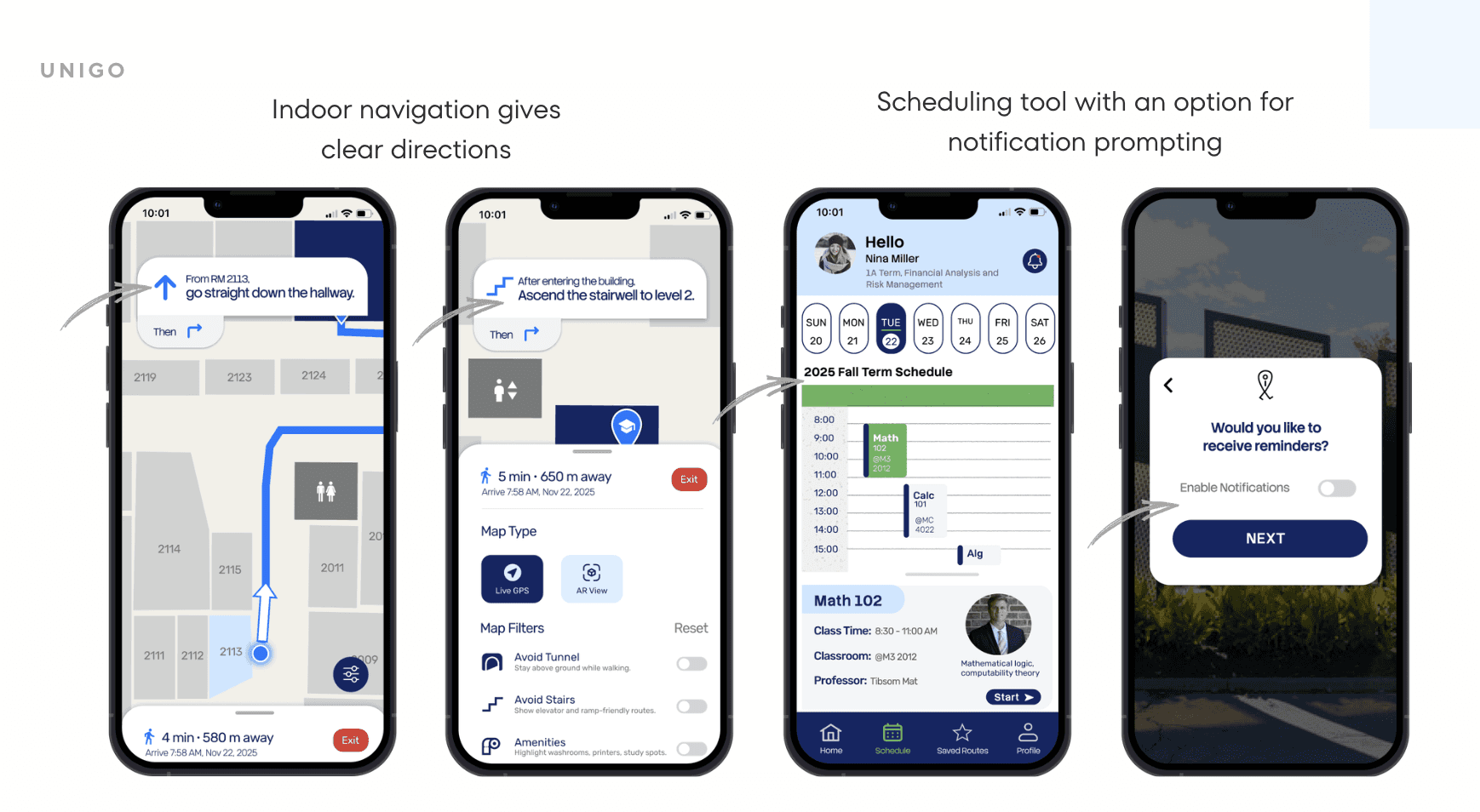
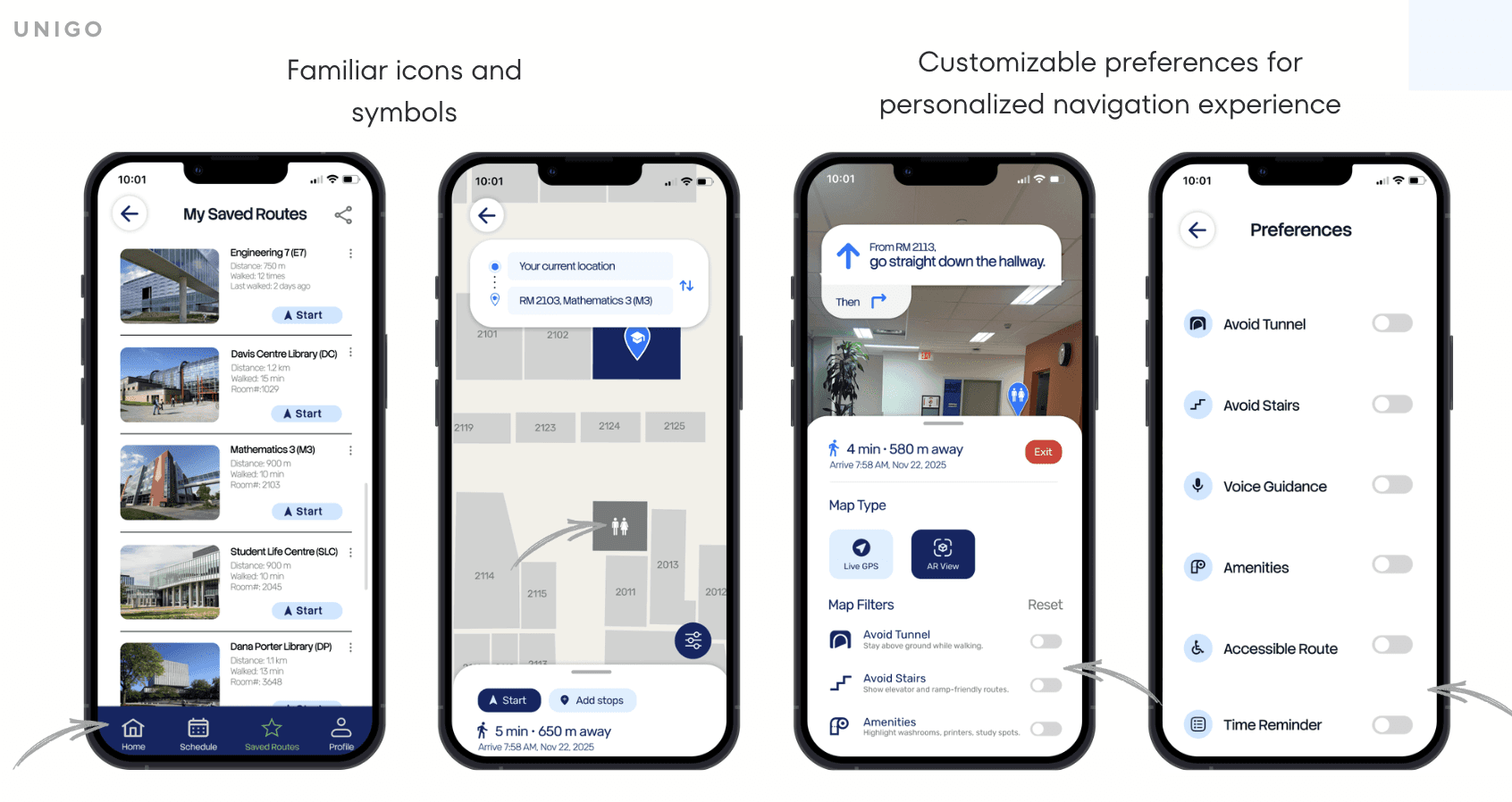
Prototypes
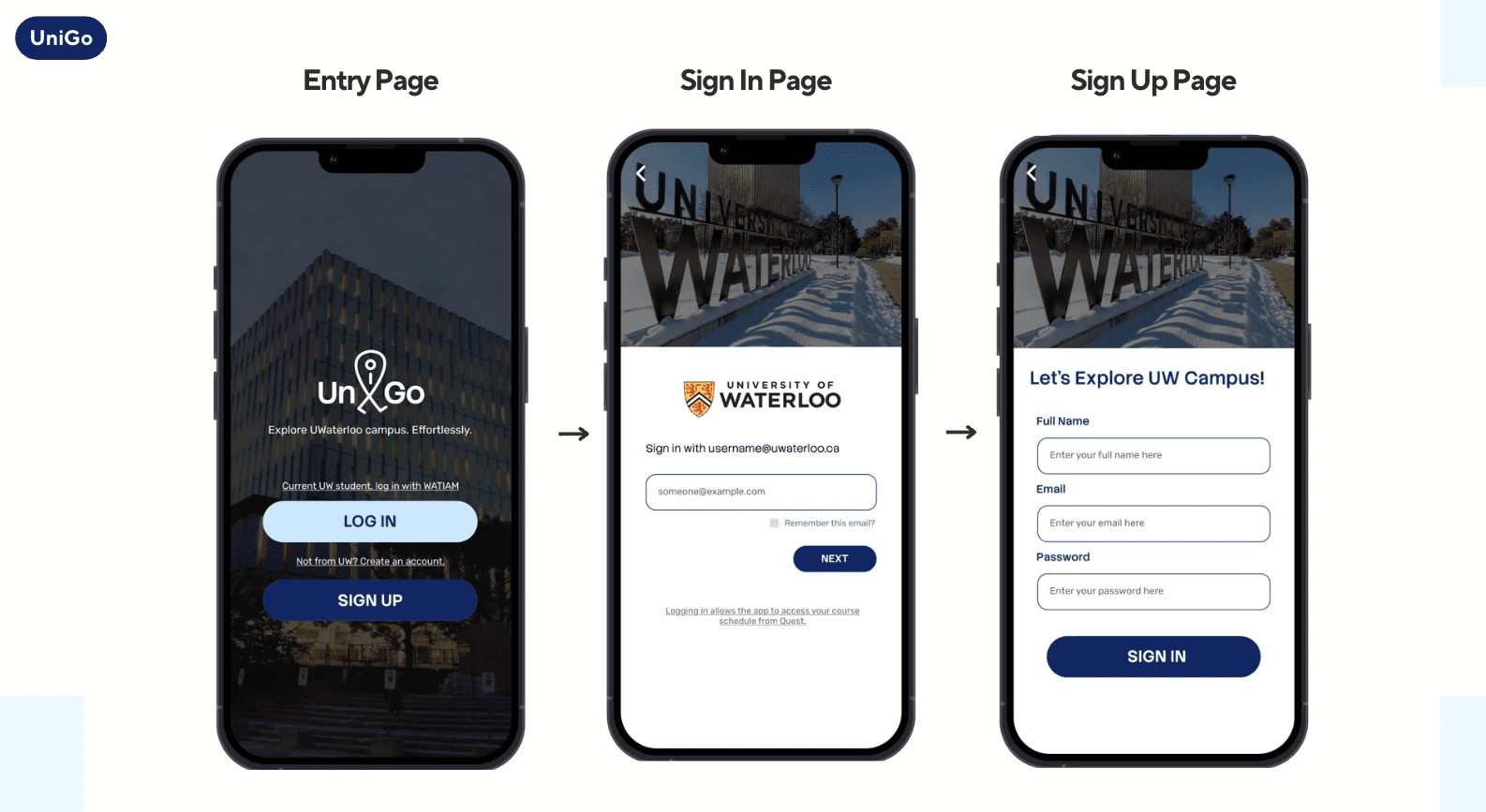
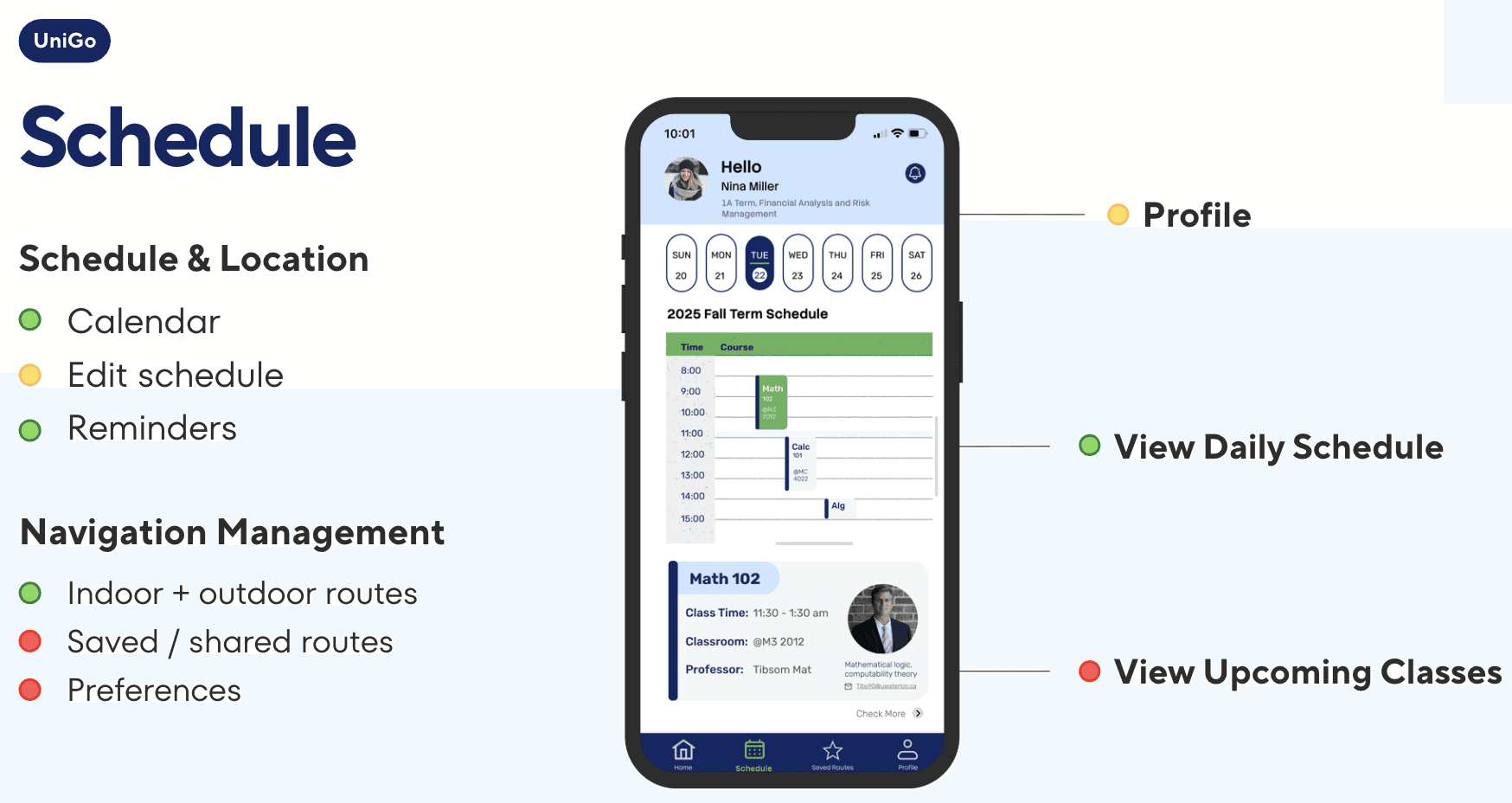
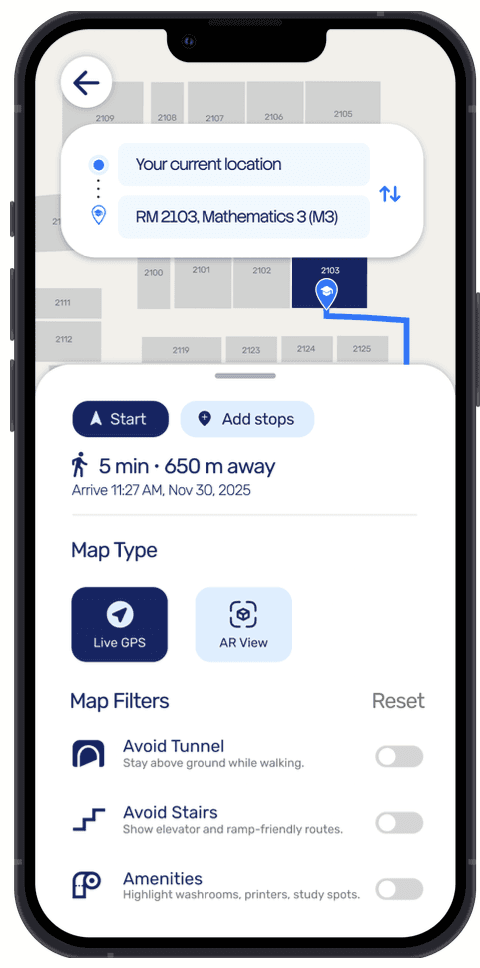
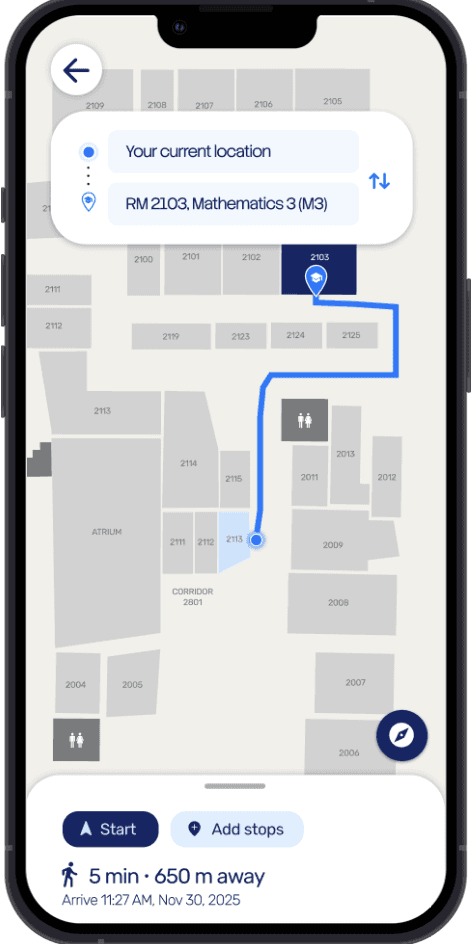
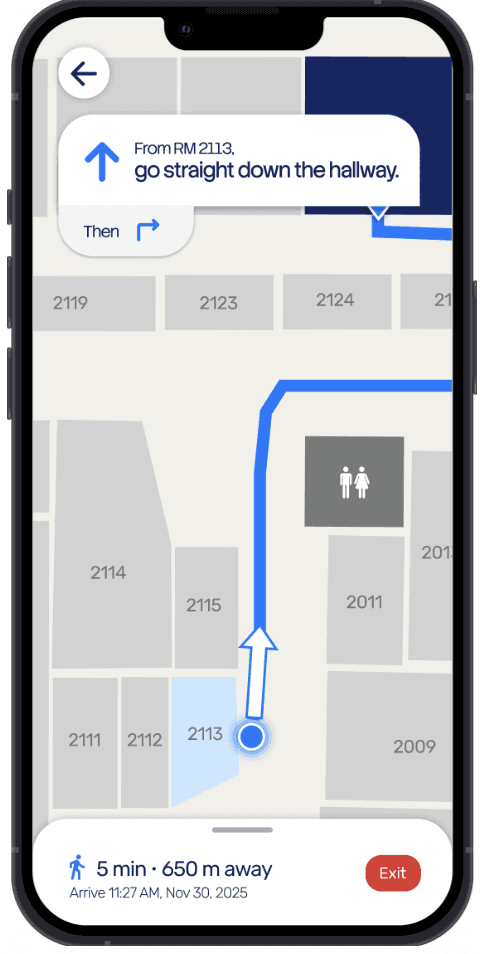
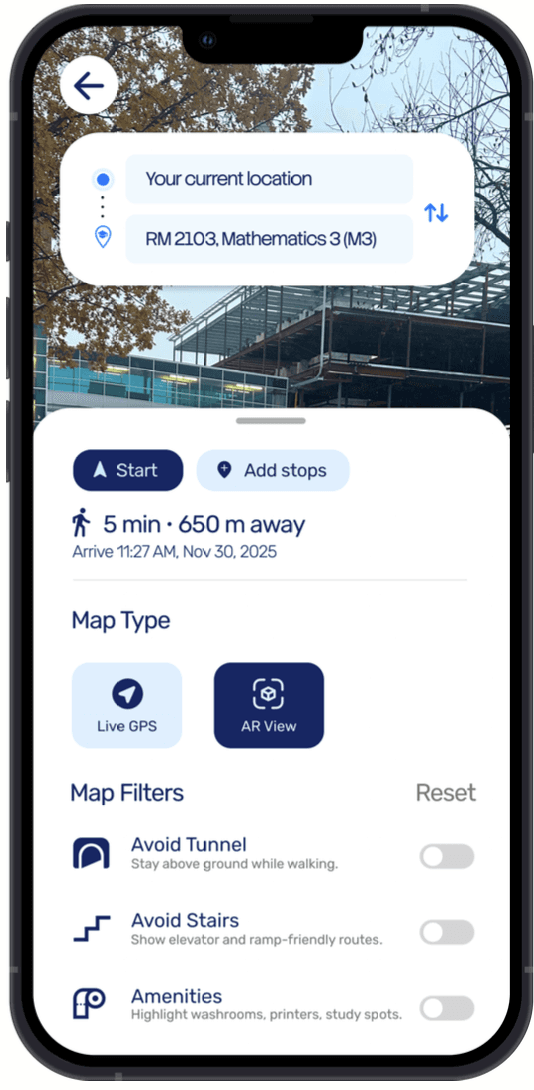
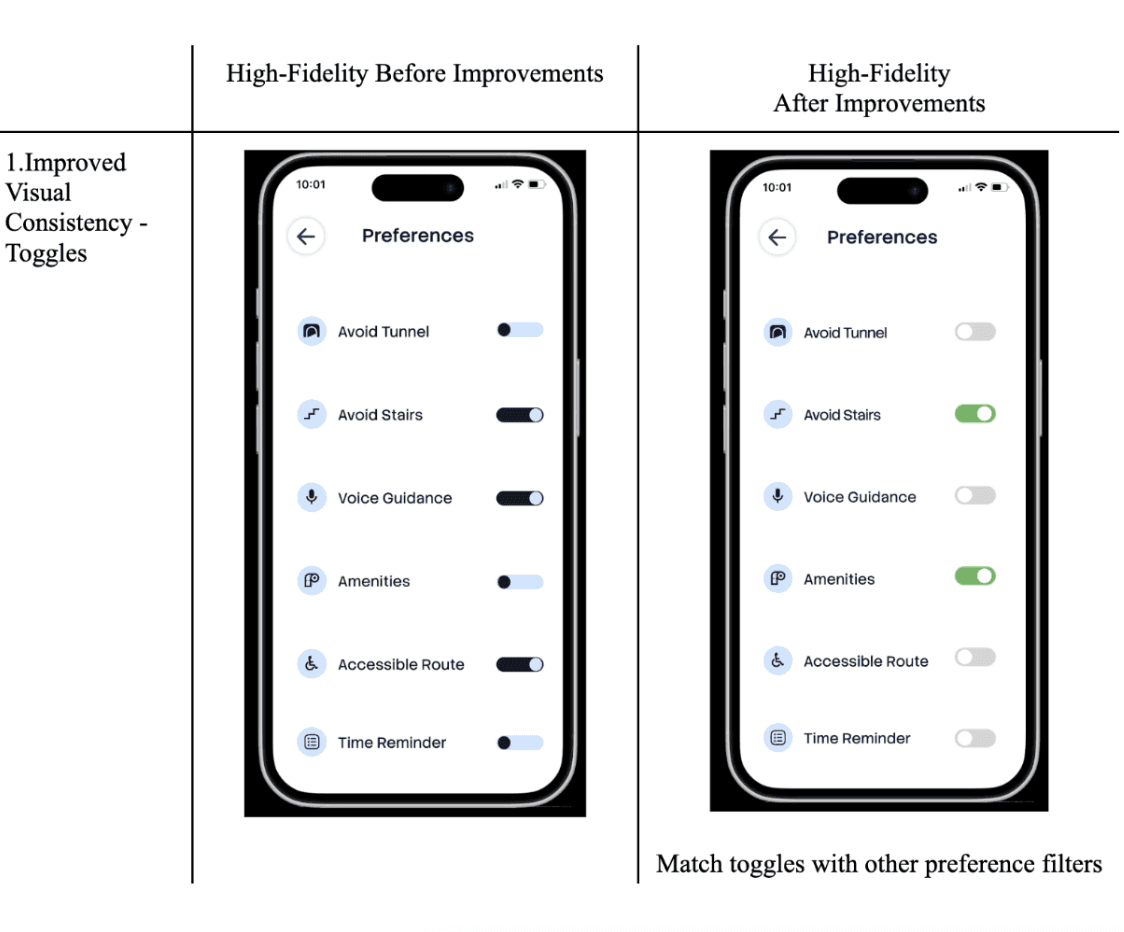
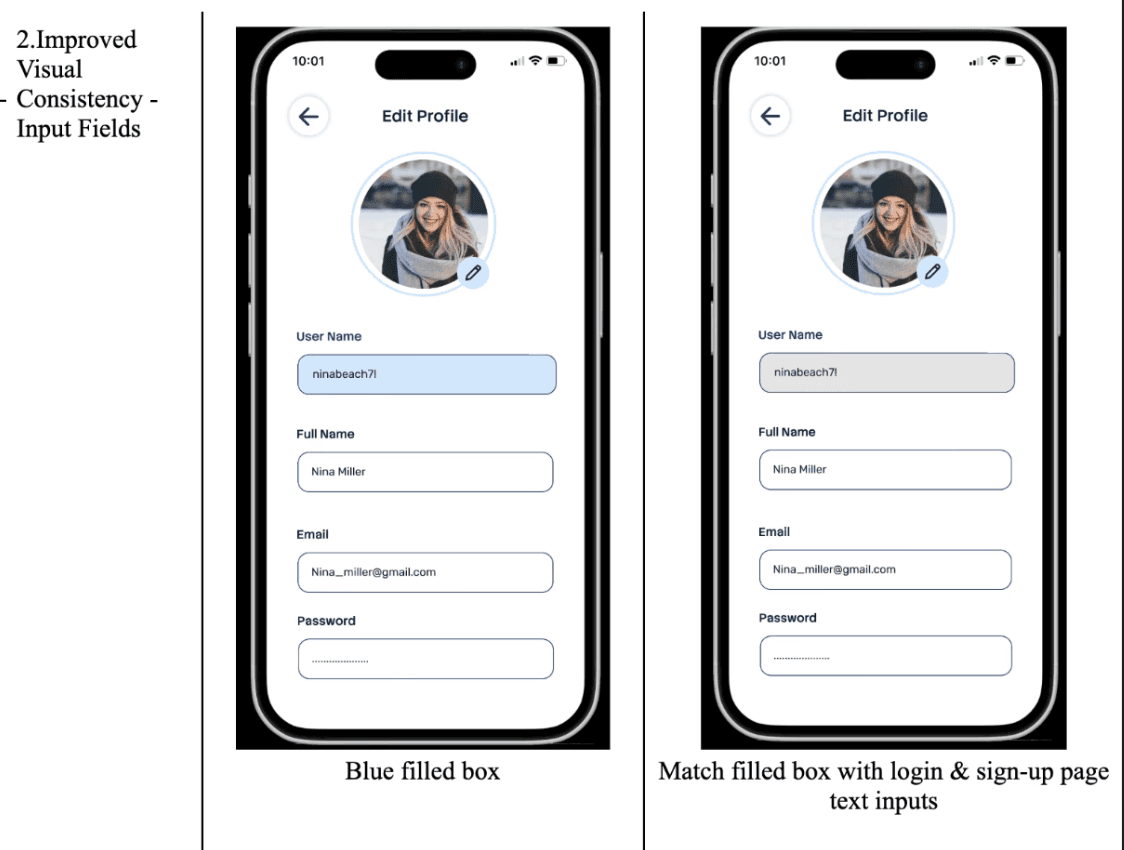
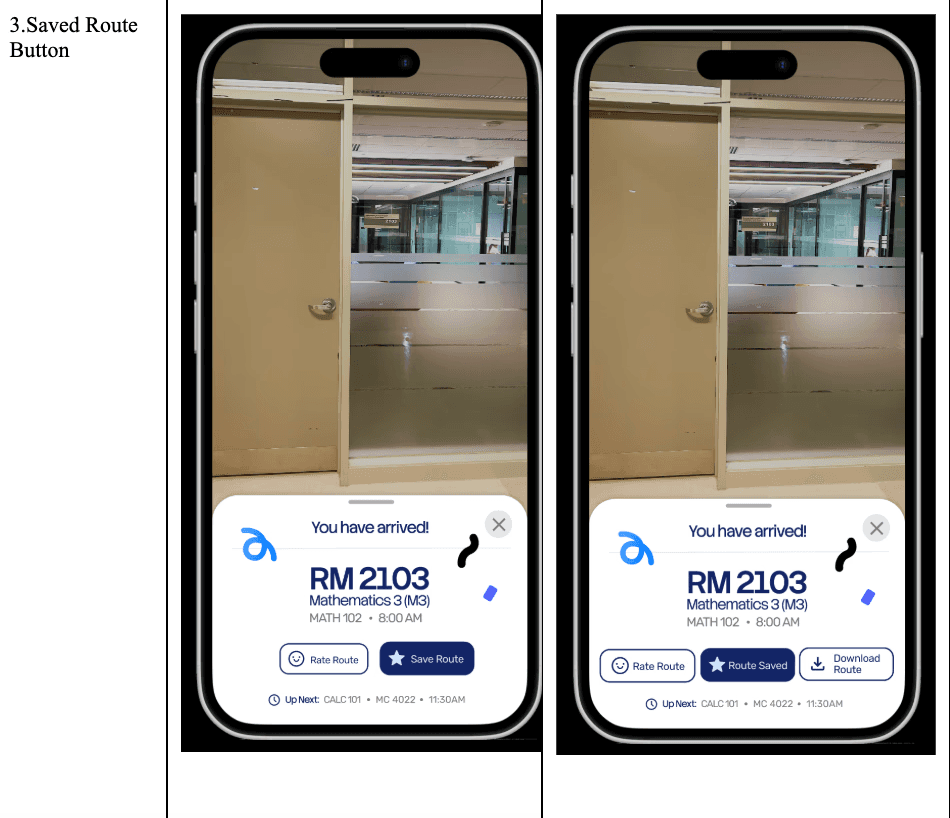
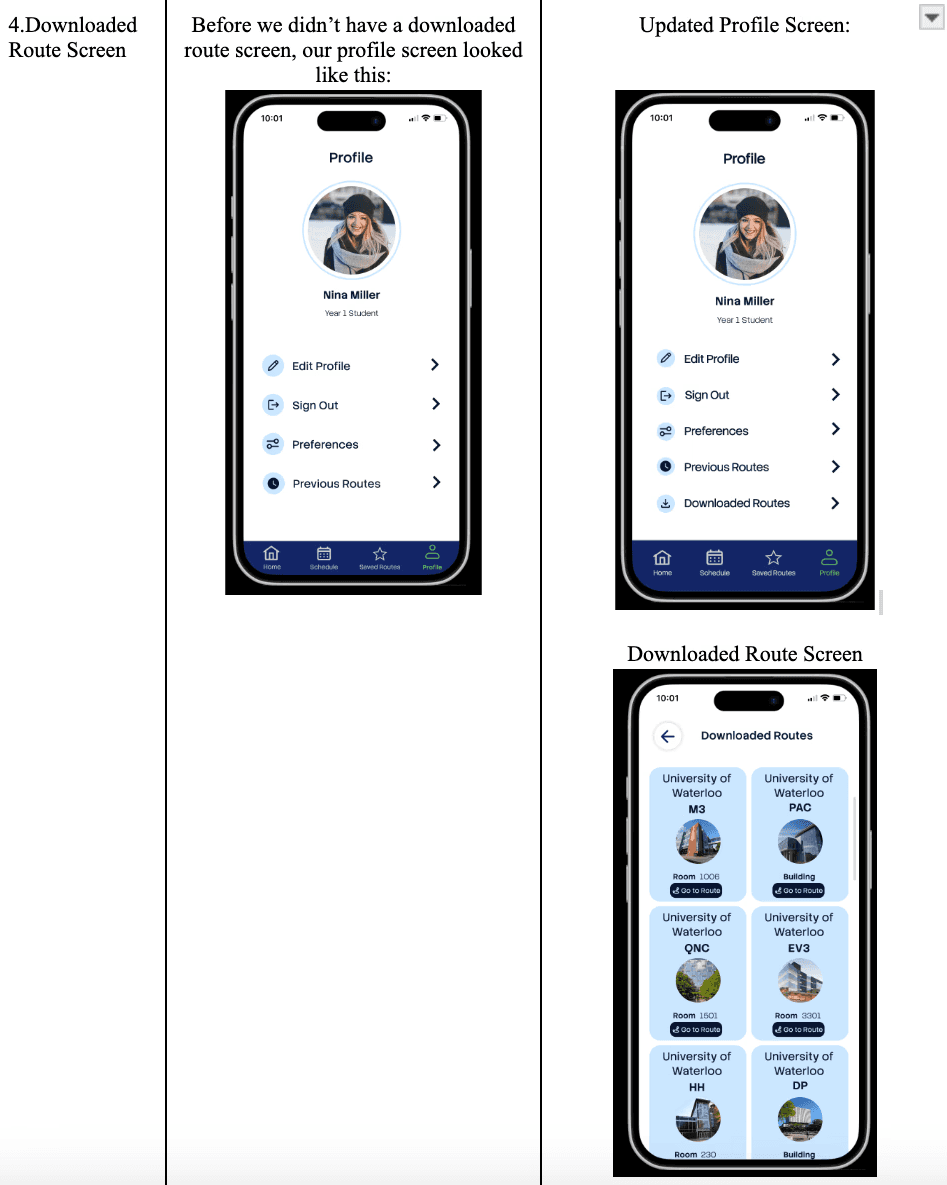
Based on usability testing, we identified opportunities to improve:
Standardized toggles and inputs with green accents.
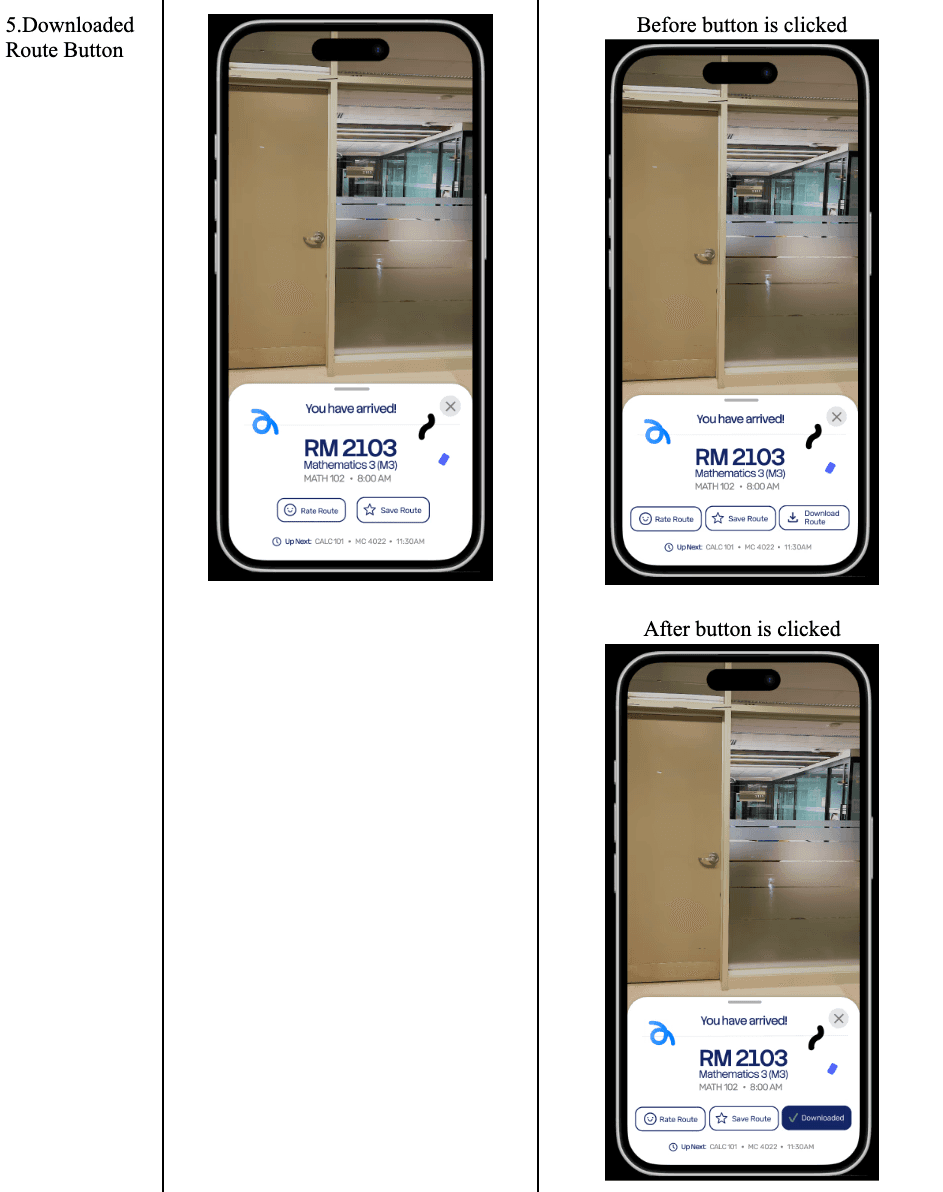
Added save confirmation plus offline/download access.
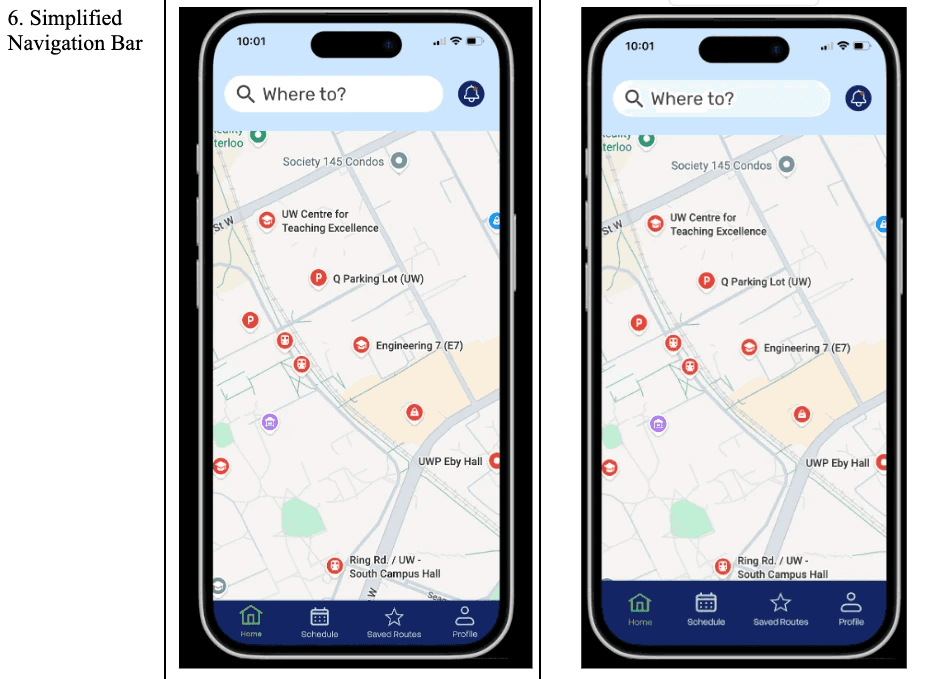
Refined spacing and label legibility on the navigation bar.
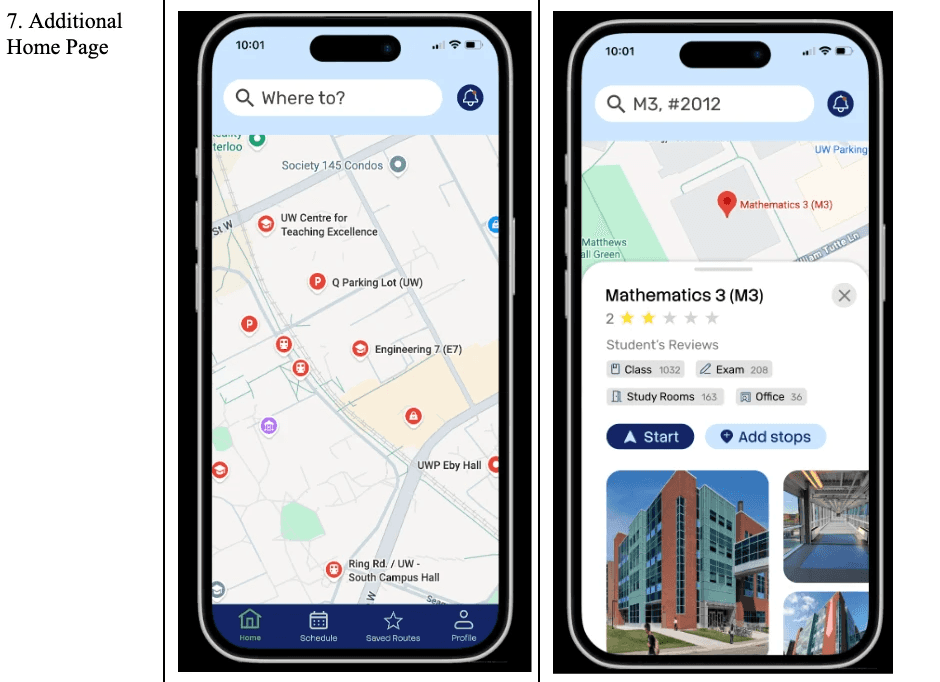
Introduced a search-first entry with clearer route details.
Visual Reference